Transactional Email vs Marketing Email: How to Tell Them Apart
A transactional email usually reports on something the reader did or asked for, and a marketing email usually starts the conversation. How to sort real messages, handle the mixed ones, and send each group separately.
By Muhammed SevimliPublished 6 min readRead in Turkish
Transcript
How do you tell transactional email from marketing email? Ask who started it. If the reader acted and the email reports on it, it is usually transactional. A receipt or a password reset fits. If you start the conversation, it is usually marketing. A newsletter or a discount fits. Put a coupon in an order confirmation and the two blur. Send the coupon as its own email, with an unsubscribe link. Run both from one panel with Sendicorn, at sendicorn.com.
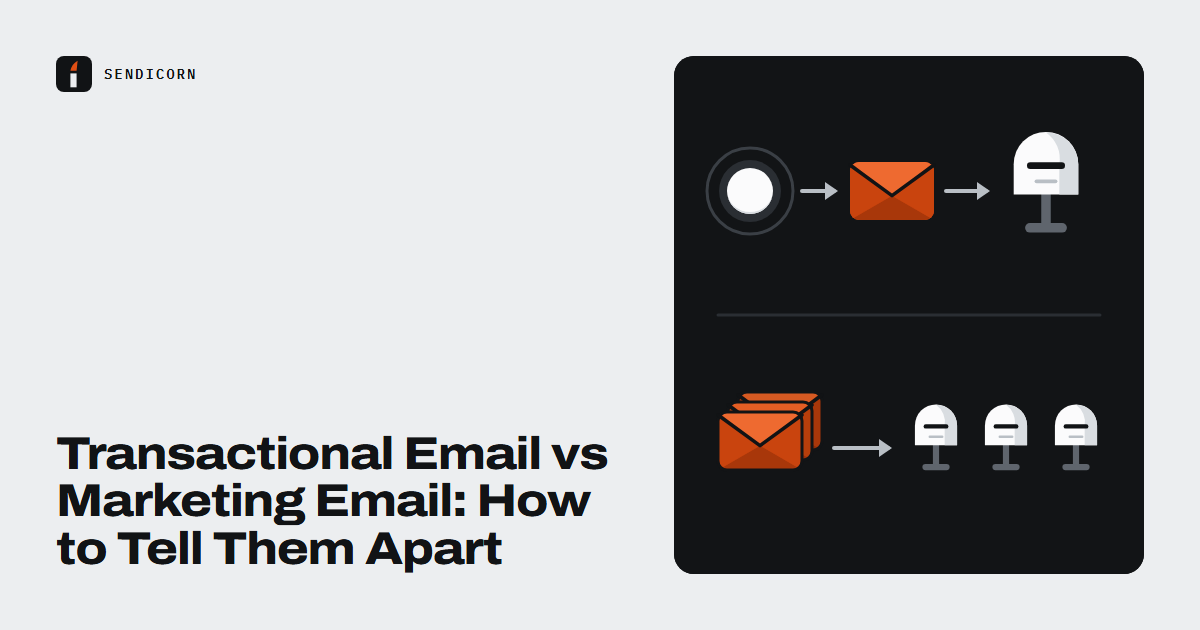
A transactional email is a message the recipient triggered or asked for: a receipt, a password reset, a sign-in link, a reservation confirmation. A marketing email invites the recipient to read, try or buy something: a newsletter, an announcement, a discount. To sort a message, ask what it is for. If the reader did something and the email reports on it, it usually counts as transactional. If you start the conversation, it usually counts as marketing. Google's FAQ applies its one-click unsubscribe requirement to marketing and promotional messages and excludes transactional messages from it (Google FAQ). A coupon inside an order confirmation is where the two groups blur.
What counts as a transactional email
Google's FAQ for senders gives three examples of transactional messages: password reset messages, reservation confirmations and form submission confirmations (Google FAQ). Yahoo's FAQ names order confirmations and password resets (Yahoo FAQ). These examples share a trigger: the person did or asked for something, and the email reports on it. Marketing and promotional messages start on your side, and Google's one-click rule names marketing messages and subscribed messages together (Google's sender guidelines).
| Message | Group | Basis |
|---|---|---|
| Order confirmation or receipt | Transactional | Yahoo lists order confirmations as an example |
| Password reset | Transactional | Google and Yahoo both list it |
| Reservation confirmation | Transactional | Google lists it |
| Form submission confirmation | Transactional | Google lists it |
| Sign-in link or code | Usually transactional | The person asked for it |
| Shipping update on an order | Usually transactional | It reports on an order the person placed |
| Newsletter | Marketing | It invites the reader to read, and Google's one-click rule covers subscribed messages |
| Product announcement | Marketing | You start the conversation |
| Discount offer | Marketing | It invites a purchase |
| Win-back email to a lapsed customer | Marketing | You start the conversation |
Google's FAQ says the distinction between promotional and transactional messages can vary depending on industry and applicable regulations (Google FAQ). Treat the table as a starting point, and read the mixed cases in the next section with that in mind.
Is an order confirmation email still transactional with a coupon inside?
An order confirmation reports on a purchase the person made, and Yahoo lists it as transactional. Once a coupon goes in, the message does two jobs, and Google's advice points to splitting it. Google's sender guidelines list sending practices to avoid, and the first item reads: "Don't mix different types of content in the same message. For example, don't include promotions in sales receipt messages." (Google) Keep the confirmation a confirmation, and send the coupon as its own marketing email with the unsubscribe link.
Other mixed cases follow the same logic. To sort a mixed message, ask three questions:
- What did the person do or ask for, and does the message report on it?
- If you delete the offer block, does the message still do its job?
- Is the offer the reason you are sending at all?
A reminder that says when a trial ends and what happens to the account is a notice about the person's own account, and it often fits the transactional group. The same reminder rebuilt around a plans page and a discount answers the third question the other way, and it is closer to marketing. A message you cannot place can go out as marketing with the unsubscribe link, and the transactional group stays reserved for clear receipts and notices.
Why the two groups are handled separately
The first reason is the unsubscribe rule. Google's guidelines say senders of more than 5,000 messages a day to Gmail accounts must support one-click unsubscribe for marketing messages and subscribed messages (Google). Google's FAQ states that transactional messages are excluded from that requirement (Google FAQ). Yahoo's FAQ agrees on the split: one-click unsubscribe is required for promotional and marketing messages, and the requirement does not apply to transactional messages such as order confirmations and password resets (Yahoo FAQ). Yahoo describes a bulk sender as one sending a significant volume of mail and gives no number.
The second reason is how senders are judged. Yahoo's FAQ says a sender is viewed at the authenticated domain or From-header domain level, so a shared From domain can put newsletters and receipts under the same sender (Yahoo FAQ). Both providers also set a spam rate target. Google asks senders to keep the spam rate reported in Postmaster Tools, Google's dashboard for a sender's spam rate, below 0.10% and to avoid ever reaching 0.30% or higher (Google). Yahoo's requirements list a spam rate below 0.3% (Yahoo best practices). One group with a high complaint rate can affect the standing of the other when they share a sender.
How to send each group separately
To keep the two groups apart, change four things:
- Use a different From address for each category. Google's guidelines say messages of the same category should share a From address, and the example separates sales receipts, promotions and account notifications (Google).
- Consider separate streams. Under the heading "Segregate Email types by IP or DKIM domain", Yahoo's best practices recommend not sending bulk or marketing email from the same IPs you use for user mail, transactional mail and alerts (Yahoo best practices). A separate sending domain with its own DKIM signature is one way to do that. DKIM is the signature that lets a receiving server check that a message came from your domain.
- Authenticate both groups. Google asks senders to set up SPF or DKIM, and bulk senders need SPF, DKIM and DMARC (Google). SPF lists the servers allowed to send mail for your domain, and DMARC tells the receiving server what to do with mail that fails authentication. The SPF, DKIM and DMARC setup guide walks through the records.
- Add the unsubscribe link and the one-click headers to marketing mail. RFC 8058 describes the List-Unsubscribe-Post header, which signals that the List-Unsubscribe header supports one-click unsubscribe (RFC 8058). The List-Unsubscribe guide covers the header itself.
What to look for in a sending tool
When you compare tools, check these four things:
- Can you mark a message as transactional or marketing? Look for a tool that adds the unsubscribe link and one-click headers to the marketing kind on its own, so you do not have to remember.
- Does it show bounce and complaint rates for each group? A bounce is a message that could not be delivered, and a complaint is a recipient marking a message as spam. One blended number can hide which group has the problem, and separate numbers can show where a rise starts.
- What happens to the other group when one pauses? Ask whether a paused newsletter also stops receipts, and whether the answer depends on the reason for the pause. A pause that also stops receipts holds back your customers' purchase confirmations and sign-in emails, so learn the rule before you rely on it.
- Can each project have its own sender and contacts? A bad list in one project then stays in that project.
How Sendicorn handles the two groups
I built Sendicorn so newsletters, automations and app emails share one panel. The acceptable use page says email sent through the API is for transactional messages, such as receipts, sign-in links and notices someone asked for, and marketing goes out as a campaign or a marketing template so it carries the unsubscribe link and headers. Sendicorn adds an unsubscribe link and one-click unsubscribe headers to campaigns, and to templates and automations sent as marketing. Each project has its own sender, contacts and reputation, and the pause limits are counted separately for marketing and transactional email. Over the last 7 days, once a project has sent at least 100 emails of that kind, it pauses when marketing bounces pass 2%, transactional bounces pass 4%, or complaints pass 0.08% in either group. A pause for marketing bounces stops marketing email, and a pause for complaints, or for transactional bounces, stops transactional email too. The developers page says your app's receipts, password resets and trial reminders go out on the same account and the same bill as your newsletters.
Next step
Open the last five emails your app or store sends and sort them with the table: receipts and notices on one side, offers and announcements on the other. Move any offer out of a receipt and into its own marketing email. When you want both groups in one panel, start from the Sendicorn home page.