Double Opt-In vs Single Opt-In: Which One Should You Use?
Single opt-in adds an address the moment the form is sent. Double opt-in sends a confirmation email first and adds the address when the person clicks the link. For a public signup form, start with double opt-in.
By Muhammed SevimliPublished 6 min readRead in Turkish
Transcript
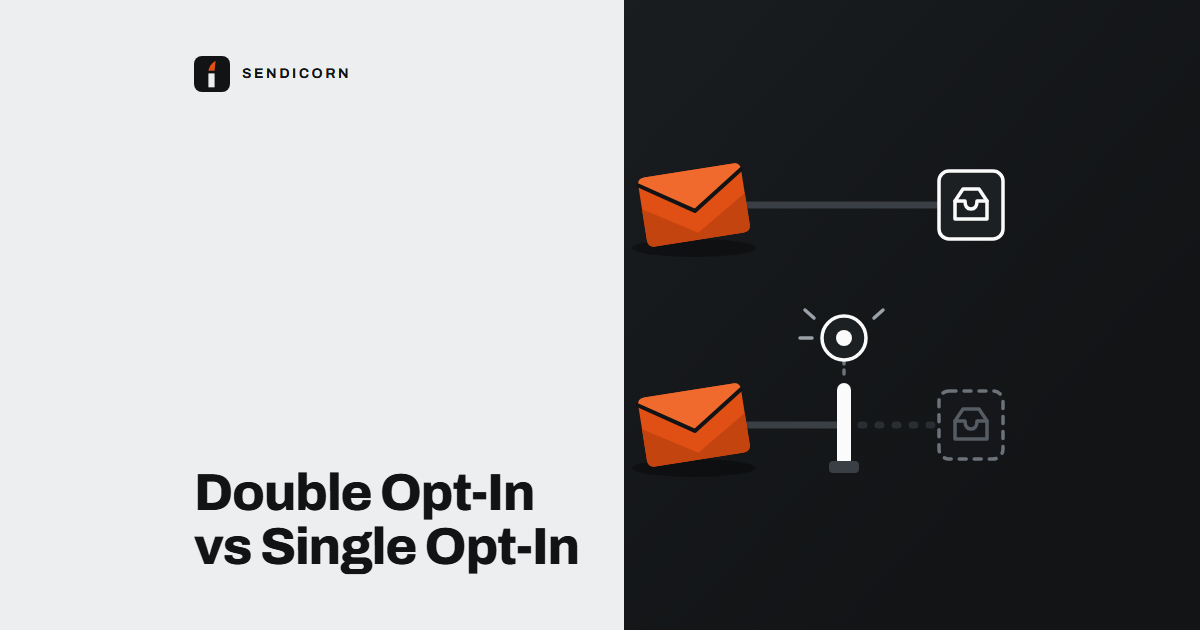
Double or single opt-in? It decides when an address joins. Single opt-in adds the address the moment the form is sent. Double opt-in sends a confirmation email first. The address joins only when the person clicks the link. It catches typos, someone else's address, and fake signups. The cost: people who never click never join. Single opt-in works when the address was already verified elsewhere. For a public form, start with double.
With single opt-in, an address joins your list the moment someone submits your signup form. With double opt-in, the form sends a confirmation email first, and the address joins once the person clicks the link in it. If your addresses come from a public form, I would start with double opt-in. Google's sender guidelines say to confirm each recipient's email address before subscribing them, and both Yahoo and Amazon SES recommend double opt-in. Single opt-in is a reasonable fit when the address was already verified somewhere else, for example on an account the person created with a confirmed email.
How each method works
Opt-in means a person chose to receive your email. The two methods differ in what counts as that choice. With single opt-in, submitting the form is the choice, and the address joins your list immediately. Anyone can type any address into a form, so the list now holds addresses nobody has checked.
With double opt-in, submitting the form starts a process. The address waits in a pending state while a confirmation email goes out with a link inside. When the person clicks it, the address joins the list. Until then it receives none of your newsletters. The "double" refers to those two actions, the form and the click. It is also called double/confirm opt-in or confirmed opt-in.
The decision comes down to when you want to find out that an address is real and wanted: before the first campaign, or after it bounces or gets reported. The click is also your first proof that the mailbox can receive mail.
What the confirmation step catches
Three problems show up on public forms, and the confirmation click helps with each of them.
Typos. Amazon SES says a double opt-in strategy helps reduce the number of hard bounces resulting from typographical errors. A hard bounce is a permanent delivery failure, such as an address that does not exist. A mistyped address usually cannot receive the confirmation email, so it stays pending. Yahoo adds that sending to people who are not reading your mail, or who report it as spam, harms your delivery metrics and reputation.
Someone else's address. Google says to send email to people who want to get messages from you, and that these recipients are less likely to report your messages as spam. If a stranger types your address into a form, you receive one confirmation email you can ignore. A newsletter series you did not ask for is a different matter, and it is the kind of mail that gets reported.
Fake and bot signups. The SES documentation notes that spammers can fill out forms with their own content, and that addresses such as postmaster@ or abuse@ can be added to a list maliciously to damage your reputation. Addresses like these are unlikely to click a confirmation link, so they usually stay pending.
I checked these three pages on 26 November 2026.
What it costs you
Some people do not click. They forget, they get distracted, or the confirmation email lands in spam or a promotions tab. Those people do not join, so a list can grow more slowly than it would with single opt-in. The confirmation email has to arrive. If it lands in spam, signups stall and nobody tells you. Submit your own form with addresses at two or three different providers and check where each copy ends up before you publish the page.
The extra step also needs a clear message after the form. Replace a bare "thanks" with something like "Check your inbox for an email from this sender and click the button." A visitor who sees that knows what to do next, and a visitor who sees no message may assume the signup failed and try again with a different address.
Late clicks still count. Someone who confirms two days after signing up is a good subscriber, though the link may stop working after some time, and the length of that time depends on your tool. Find out how long it lasts before you promise anything on the page.
Writing the signup and the confirmation email
Tell people what they get before they sign up. Yahoo's guidance is to let them know what mail to expect, how often it will be sent, and what it will look like. One line beside the form does it, for example "One short note on Fridays about new releases."
Leave any consent checkbox unticked. Google says to avoid opt-in forms that are checked by default and that automatically subscribe users, so a person should tick the box themselves.
Keep the confirmation email short. Put the name of the list in the subject line, use a sender name the person recognizes, say in one sentence what they asked for, and give them one button. Add a closing line for the wrong person: "Didn't sign up? Ignore this email."
After the click, show a page that says they are in, and send the first real email soon enough that they still remember signing up.
Older lists and imports
An address is as useful as the story of how it got on the list. Google says not to purchase email addresses from other companies, and Yahoo says not to purchase mailing lists. Write down where and when each group of addresses signed up, because a list with no origin is a list that is hard to explain if people complain.
When you move a list from another tool, bring the unsubscribes and the bounced addresses with you. Without them, people who already left can be emailed again on the first send.
If a group of addresses has been quiet for a long time, ask it to confirm before you send a campaign. Yahoo suggests sending a reconfirmation email to inactive subscribers periodically, and Google says to periodically send messages to confirm that recipients want to stay subscribed. People who click have told you they still want the mail, and you can leave the rest out of your campaigns.
What to look for in a sending tool
Use these questions when you compare tools for your list:
- Do new lists ask signups to confirm by email, or is confirmation a setting you have to find?
- Are addresses that hard bounce or report spam blocked automatically?
- Does an import show the rows it skips, and do unsubscribed and bounced people come in blocked?
- Does each project keep its own reputation, so one bad list does not stop the others?
- Do signup confirmations still go out when you reach your monthly sending limit?
- Does each contact record when they confirmed?
How Sendicorn handles confirmation, bounces and imports
I built Sendicorn for the projects I run. New lists ask signups to confirm by email. A signup who has not clicked stays pending and receives no campaigns, the link works for 30 days, and signing up again resends the confirmation email, up to a few times per address. Each contact records when they confirmed. Addresses that bounce hard or report spam are blocked automatically. Each project has its own sender, contacts and reputation, so a bad list pauses that project and leaves the others running. Signup confirmations keep going out after your monthly limit runs out, for up to 500 more emails or 10% of your plan, whichever is more. When you import a list from a CSV, the preview shows each row it leaves out and why, and people who unsubscribed or bounced come in blocked. The acceptable use page asks for a record of when and how each person agreed, and it rules out bought, rented, shared and scraped lists.
Next step
Before you import anything, set up the signup for your next list and write the one-line promise beside the form. Two guides cover what comes next: why emails go to spam and hard bounce vs soft bounce. To see these questions answered in a tool you can send with, look at Sendicorn.